Showing posts with label Coaxial. Show all posts

Wednesday, March 28, 2012

Connect RCA Laptop to Optical or Coaxial TV Audio

Your Laptop (Composite (RCA) Out - Very Unlikely)


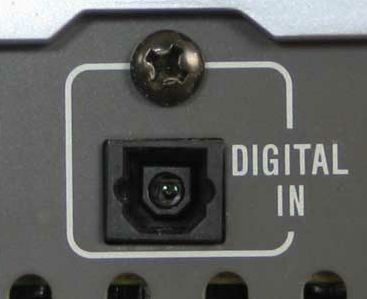
Your TV (Optical In)
OR
Your TV (Coaxial In)

Considering this is so rare, I'm not sure why I'm even posting it, but I figured since it's a possibility I might as well list it if someone is really desperate. I recommend this method as an absolute last resort. Using this converter will not up-scale your analog stereo output (via RCA) to a clearer digital version through optical or coaxial, so this method really just seems silly. That being said, if your laptop has a composite (RCA) output you can connect it to your TV through an optical or coaxial input using the following items.


Composite (RCA) Cable

The RCA cable will carry an analog signal from your laptop to the analog-to-digital converter before getting to your TV. To use this cable, plug one end into the red and white RCA OUTPUT ports on your laptop and the other end into the red and white RCA INPUT ports on the analog-to-digital converter.

RCA to Coaxial/Optical Audio Converter

This device converts an analog RCA signal originating from your laptop and converts it to a digital coaxial or optical signal for use on your TV. Make sure the RCA cables coming from your laptop are plugged into the converter's INPUT and the coaxial or optical cables are plugged into the converter's OUTPUT.

Coaxial Cable

The coaxial cable carries a digital signal from the analog-to-digital converter to your TV. Make sure one end of your coaxial cable is plugged into the OUTPUT of your analog-to-digital converter and the other end is plugged into your TV's coaxial INPUT.
OR

Optical (Toslink) Cable

If you don't wish to use a coaxial cable with this device to connect your laptop to your TV you may elect to use an optical cable instead. The optical cable carries a digital signal from the analog-to-digital converter to your TV. Make sure one end of your optical cable is plugged into the OUTPUT of your analog-to-digital converter and the other end is plugged into your TV's optical INPUT.

Connect Laptop to TV Audio via Coaxial Cable

Your Laptop (Coaxial Out)

Your TV (Coaxial In)


Before optical and HDMI cables were as prevalent as they are today, the only way you could get a fully digital surround sound experience was to use a digital coaxial cable. While virtually identical to other RCA cables, digital coaxial cables carry a strong signal of 1's and 0's from the source (laptop) to the receiver (TV), allowing for true Dolby Digital surround sound to be experienced in the comfort of one's home. While the coaxial cable doesn't win many points for style, unlike its cousins the light-based optical cable or the all-in-one audio/video HDMI cable, it gets the job done just the same. Use this cable to get crystal clear digital sound when connecting your laptop to your TV.

Connect Optical Laptop to Coaxial TV Audio and Vice Versa

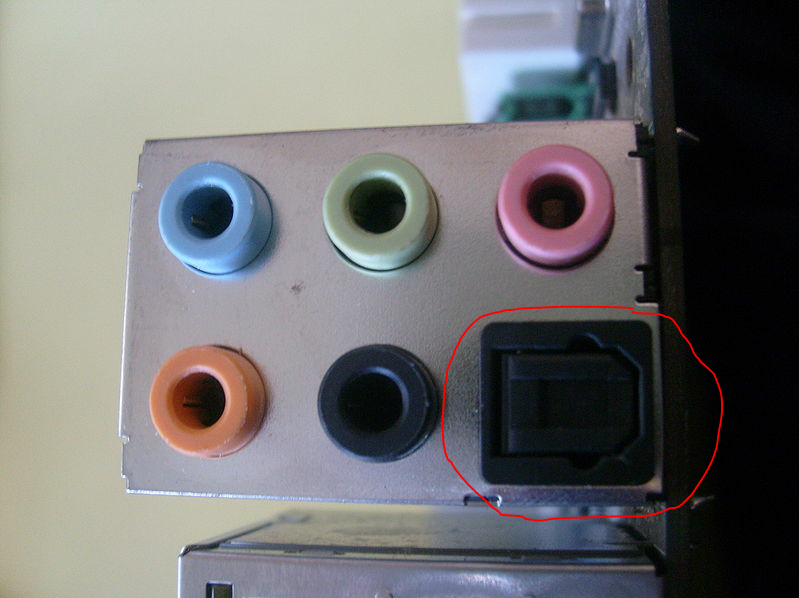
Your Laptop (Optical Out)
Your TV (Coaxial In)
(OR THE OTHER WAY AROUND!)

When connecting your laptop to your TV you want to try your hardest to maintain a digital signal. This allows for crystal clear audio and is the only type of signal that allows for full surround sound. However, sometimes you'll run into issues where your Laptop outputs don't necessarily match up with your TV inputs. If your laptop has an optical output and your TV has a coaxial input, you'll need these three things in order to maintain that clear digital signal.


Digital Coaxial Cable

A digital coaxial cable is required to connect your digital/analog adapter to your TV's coaxial input. While this particular cable is designed specifically for this purpose, if you have any spare RCA cables (regardless of their color) lying around, those will work too.


Optical (Toslink) Cable

An optical (Toslink) cable is required to connect your laptop or desktop's optical output to a digital/analog adapter box.


Dual Output Digital Audio Adapter

While the signal passing through each cable is ultimately sent and received in a digital format, the medium through which it is passed is significantly different. An optical cable passes the digital signal by rapidly flashing a red light from the laptop to the TV. A coaxial cable, on the other hand, uses electric pulses to transmit the digital signal. Since it would be impossible to convert light into electricity by using a simple cable, a digital audio adapter is required.

This adapter is one of the few that will allow you to convert an optical signal to a digital coaxial one and convert the other way around. This adapter, combined with the two cables listed here will successfully connect your laptop's audio to your TV. Simply plug one end of the proper cord into your laptop's audio OUTPUT and plug the other end into the adapter's INPUT side. Then, plug one end of the second cable into the adapter's OUTPUT side and the other end into your TV's INPUT. Then you're all set!