Showing posts with label composite. Show all posts

Wednesday, March 28, 2012

Connect RCA Laptop to Optical or Coaxial TV Audio

Your Laptop (Composite (RCA) Out - Very Unlikely)


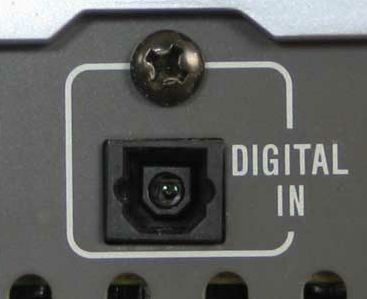
Your TV (Optical In)
OR
Your TV (Coaxial In)

Considering this is so rare, I'm not sure why I'm even posting it, but I figured since it's a possibility I might as well list it if someone is really desperate. I recommend this method as an absolute last resort. Using this converter will not up-scale your analog stereo output (via RCA) to a clearer digital version through optical or coaxial, so this method really just seems silly. That being said, if your laptop has a composite (RCA) output you can connect it to your TV through an optical or coaxial input using the following items.


Composite (RCA) Cable

The RCA cable will carry an analog signal from your laptop to the analog-to-digital converter before getting to your TV. To use this cable, plug one end into the red and white RCA OUTPUT ports on your laptop and the other end into the red and white RCA INPUT ports on the analog-to-digital converter.

RCA to Coaxial/Optical Audio Converter

This device converts an analog RCA signal originating from your laptop and converts it to a digital coaxial or optical signal for use on your TV. Make sure the RCA cables coming from your laptop are plugged into the converter's INPUT and the coaxial or optical cables are plugged into the converter's OUTPUT.

Coaxial Cable

The coaxial cable carries a digital signal from the analog-to-digital converter to your TV. Make sure one end of your coaxial cable is plugged into the OUTPUT of your analog-to-digital converter and the other end is plugged into your TV's coaxial INPUT.
OR

Optical (Toslink) Cable

If you don't wish to use a coaxial cable with this device to connect your laptop to your TV you may elect to use an optical cable instead. The optical cable carries a digital signal from the analog-to-digital converter to your TV. Make sure one end of your optical cable is plugged into the OUTPUT of your analog-to-digital converter and the other end is plugged into your TV's optical INPUT.

Connect Laptop to TV via Composite (RCA) Cable

Your Laptop (Composite (RCA) - Very Unlikely)
Your TV (Composite (RCA))

Though it's highly unlikely that anyone has composite outputs on their laptop or desktop, it is possible in theory to connect your laptop's audio to your TV's speakers using a simple, red & white composite (RCA) cable. One of the oldest connectors of modern technology, the basic stereo RCA cable can be found on pretty much any video camera, VCR, and gaming system from the 90's and early 2000's. It has just about reached its peak, however, as many modern TV and receiver manufacturers are slowly starting to phase this technology out in favor of digital inputs and outputs.

Using the cable is just about as simple as it could get. Connect one white end of the cable to your laptop and connect the other white end of the cable to your TV. You now have mono sound. For stereo, repeat the process with the red ends of the cable. It's even easier than using jumper cables because if you cross them, instead of blowing something up, the audio coming through your speakers will simply be reversed.

Connect Optical or Coaxial Laptop to 3.5mm or RCA TV Audio

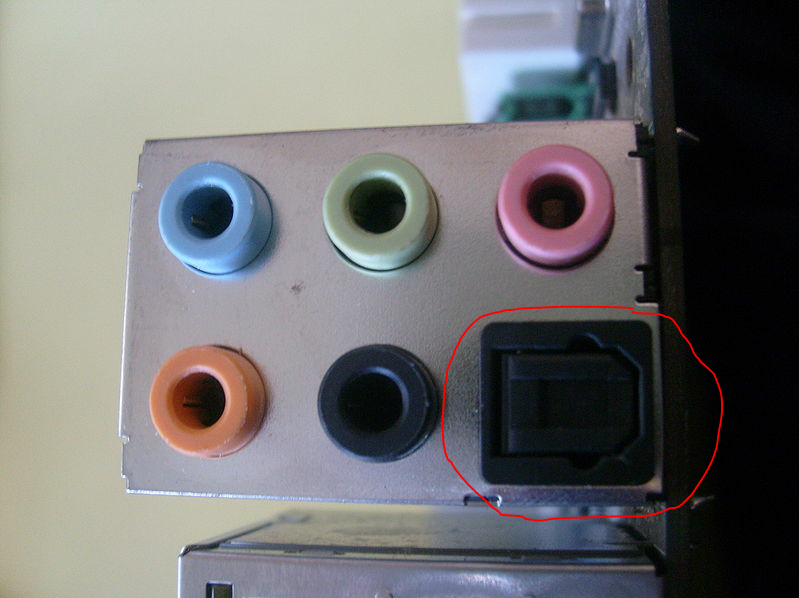
Your Laptop (Optical Out)
OR

Your Laptop (Coaxial Out)


Your TV (3.5mm In AKA "Aux In")

OR

Your TV (Composite (RCA) In)

While not the most ideal solution, sometimes you don't get to choose what ports you have to work with. In the event you have an optical or coaxial output on your laptop and a 3.5mm input or a composite (RCA) input on your TV, you'll need three of the following five items to successfully connect your laptop audio to your TV's speakers.


Optical (Toslink) Cable

The optical cable carries a digital signal from your computer to the adapter, where it gets converted to an analog signal. One end of the optical cable will go into your computer's OUTPUT and the other end will go into the digital-to-analog adapter's INPUT.

OR


Coaxial Cable

The coaxial cable carries a digital signal from your computer to the adapter, where it gets converted to an analog signal. One end of the coaxial cable will go into your computer's OUTPUT and the other end will go into the digital-to-analog adapter's INPUT.


Digital (Optical/Coaxial) to Analog (3.5mm/RCA) Converter

A digital to analog converter is required to convert the optical or coaxial cable's digital signal to that of an analog signal that may be utilized by a 3.5mm cable or two Composite (RCA) cables. This particular adapter only works one way. This means the optical or coaxial cable must leave your laptop's OUTPUT port to plug into the adapter's INPUT side, and the 3.5mm or RCA cable must leave the adapter's OUTPUT and plug into your TV's INPUT port.


3.5mm (Mini-jack) Cable

One of the most universal stereo audio cables available, the 3.5mm cable can be applied to just about everything. iPods, smart phones, laptops, and TVs are just a few devices that have the ability to utilize a 3.5mm cable in some fashion. This cable will plug into the adapter's OUTPUT port, with the other end plugging into the TV's INPUT port.

OR


Composite (RCA) Cable

Alternatively, if your TV doesn't have a 3.5mm input, chances are it has a composite input. This cable requires two ends for stereo or one for mono. For mono sound, plug one end of the white-tipped cable into the digital/analog converter's OUTPUT port and the other end into your TV's INPUT port. For stereo, do the same with the red-tipped cable. Once all the cables are properly connected to your laptop and TV through the adapter, your sound should come through perfectly!